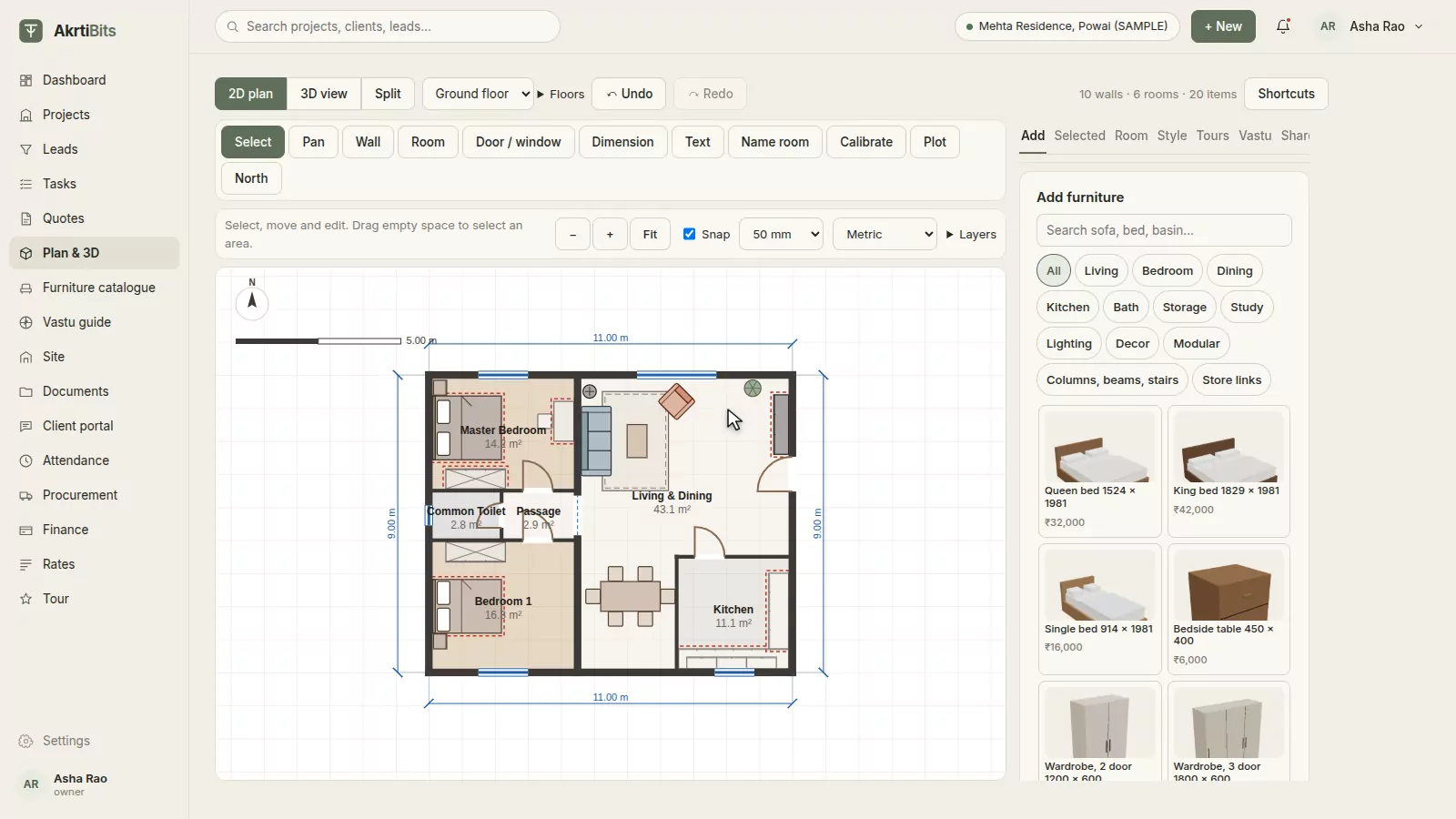
01 · 2D planDraw it once, to the millimetre.
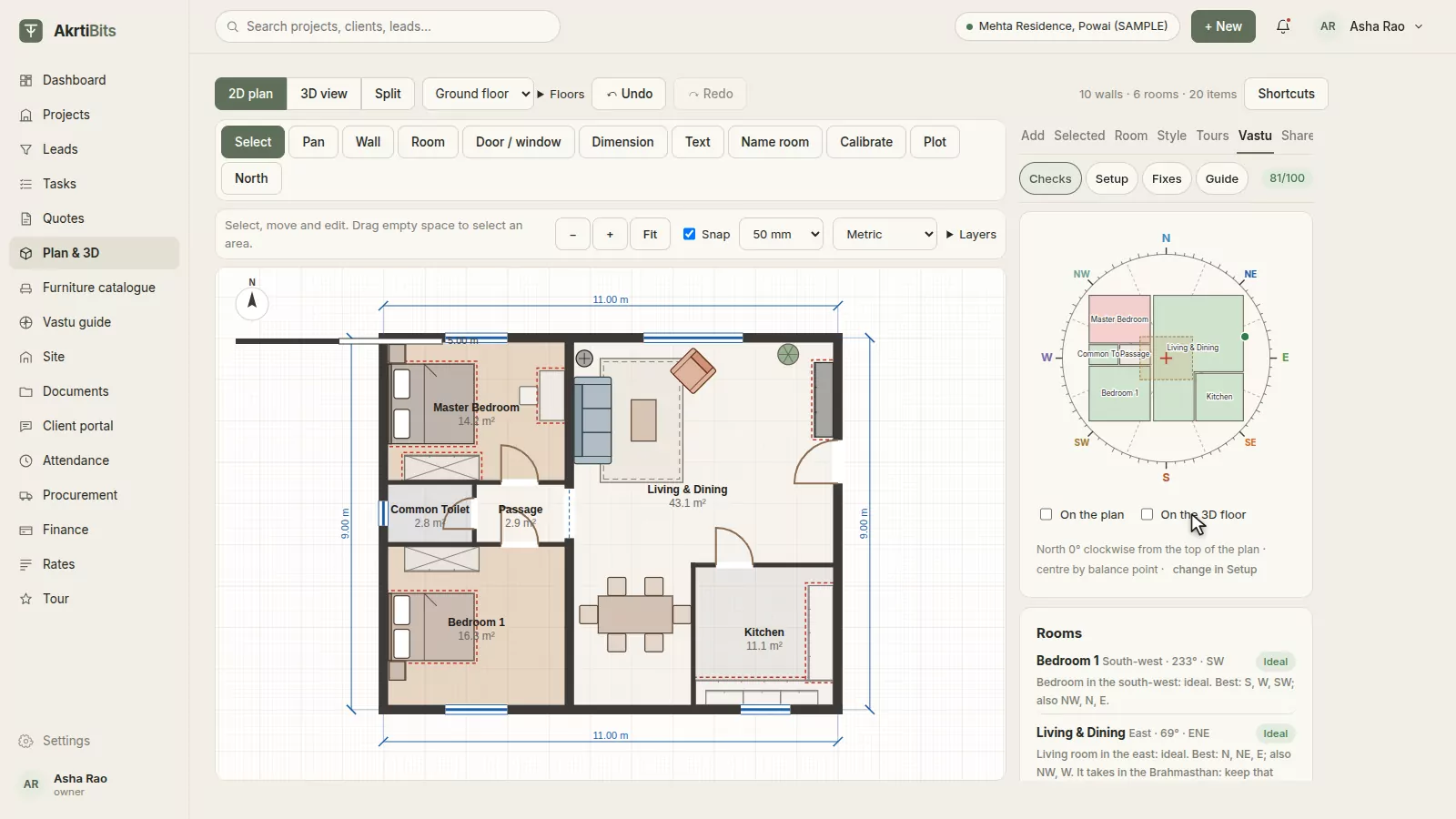
Drag out rooms, chain walls with typed lengths, and drop in doors and windows that snap to the wall. Trace over a photo of the architect's drawing, let AI draft the walls for you, or import the AutoCAD DXF. Add floors and keep the plan and 3D side by side.
- Walls, rooms, doors and windows
- DXF import and export
- AI tracing (beta)
- A3 PDF with a title block
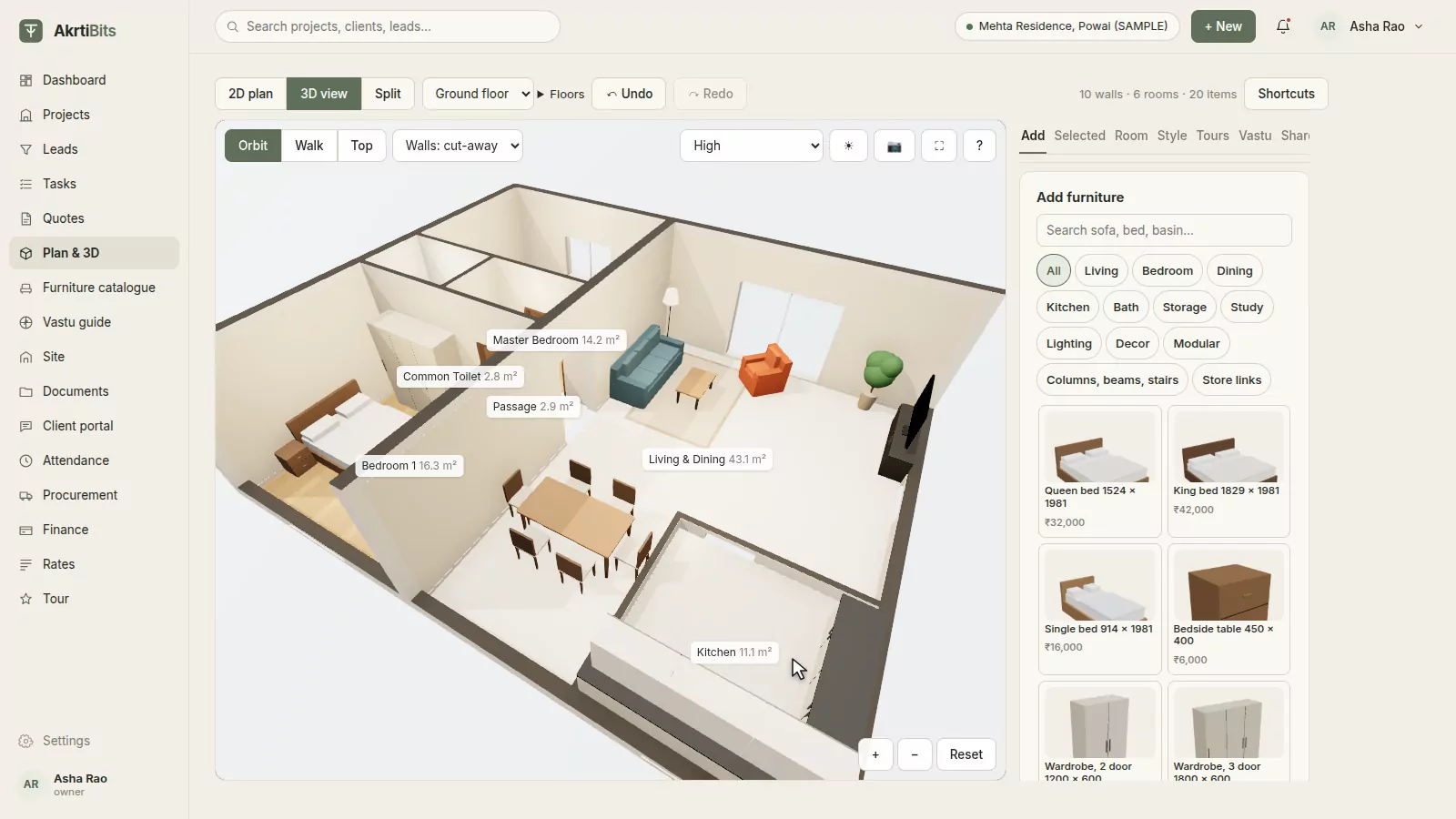
02 · 3D walk-throughWalk your client through it.
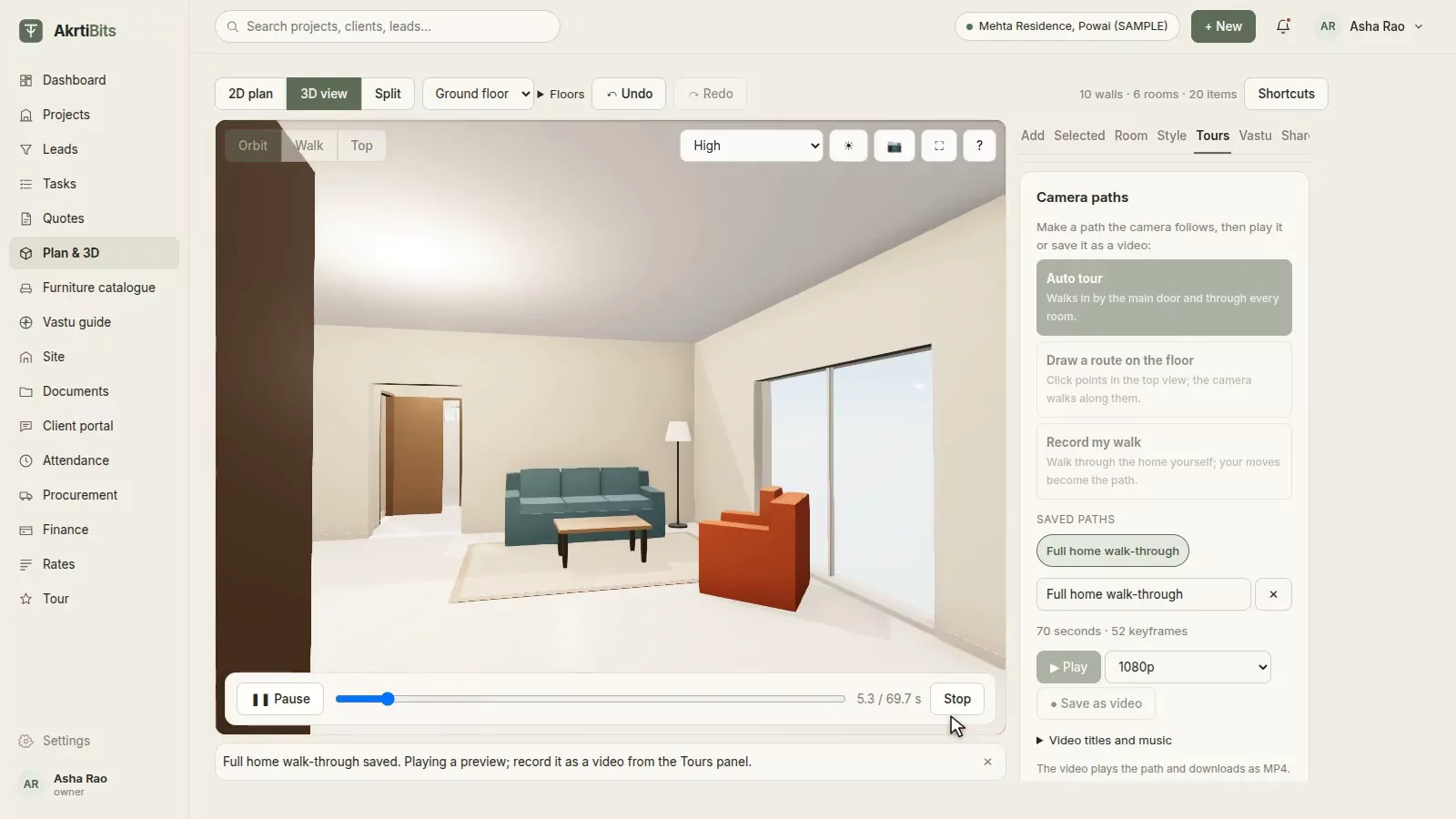
Orbit the whole home, step inside in walk mode with real wall collisions, or look down from the top, with sunlight for any hour of the day. One click records a tour through every room; save it as a video up to 4K, or as a 360° photo, right in the browser.
- Orbit, walk and top views
- Auto tour through the doors
- Video up to 4K
- 360° photos
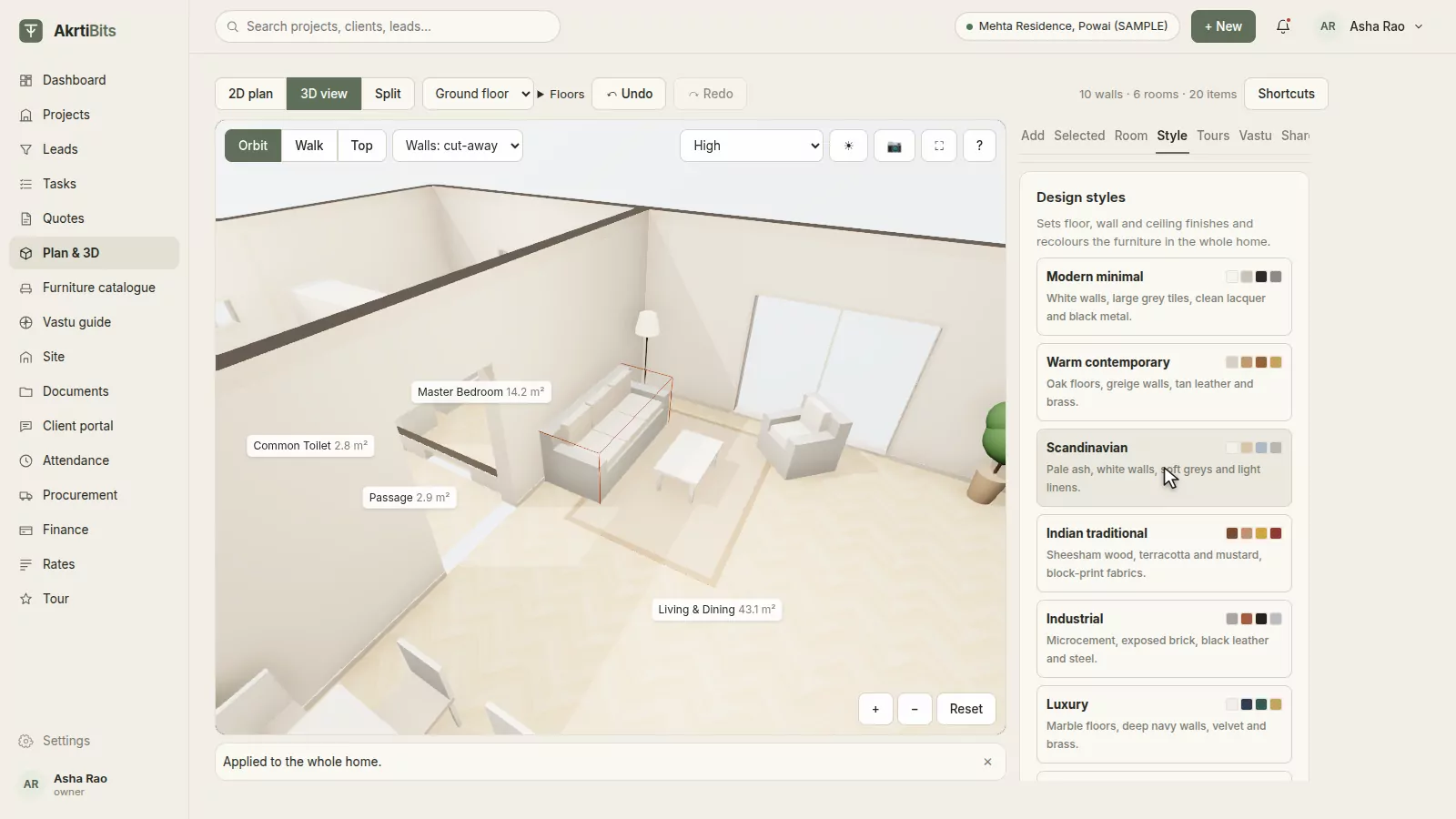
03 · Furniture & stylesFurnish and style it live.
Place parametric furniture and made-to-measure modular units in the plan or in 3D. Change the fabric, wood and colour of any piece, or restyle the whole home in one click: Scandinavian, Indian traditional, warm contemporary and more. Add your studio's own pieces from a photo.
- 50+ ready pieces and modular units
- Materials, fabrics and patterns
- One-click design styles
- Your own catalogue, from a photo
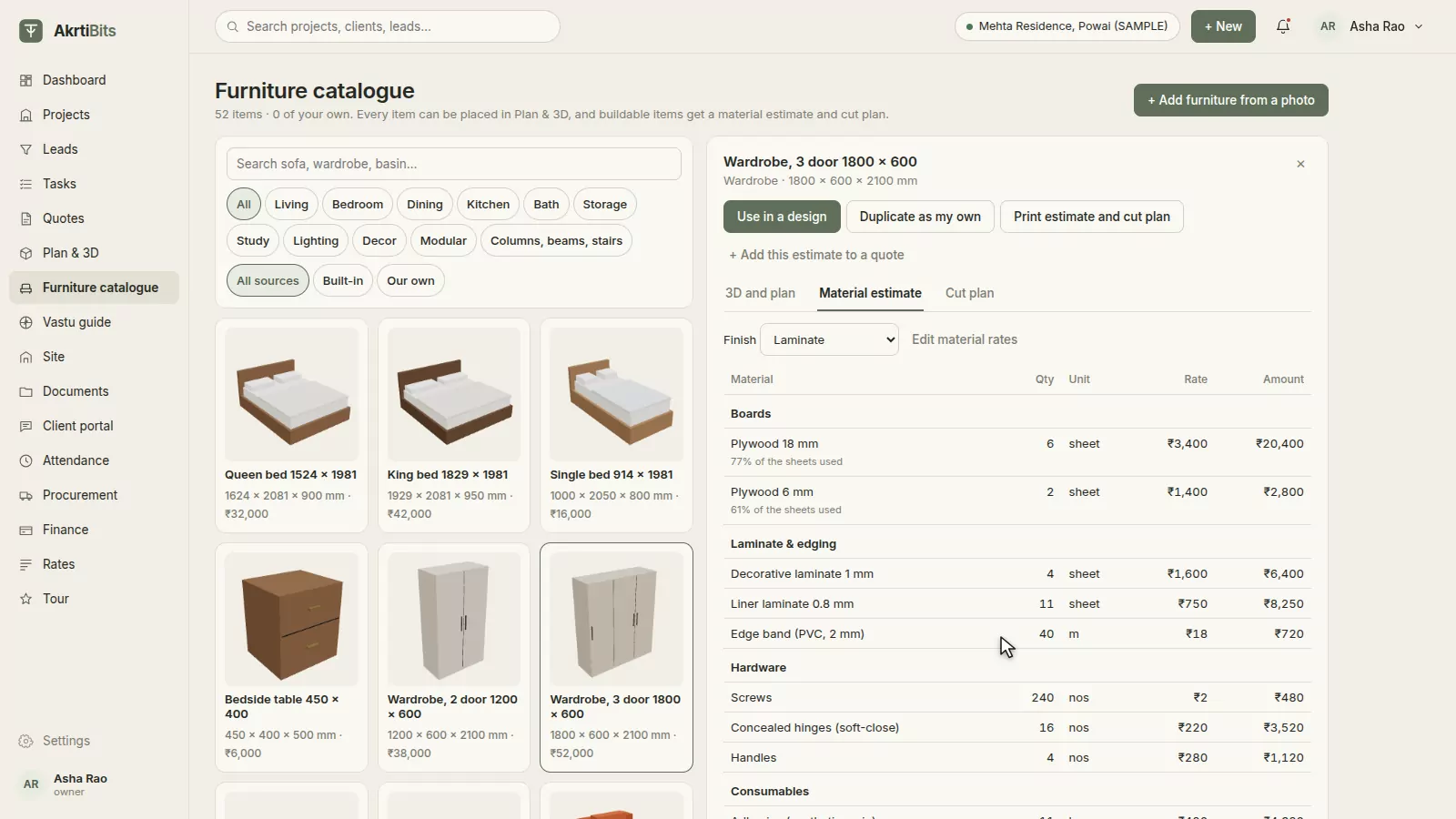
04 · Estimates & cut plansKnow what every piece costs to build.
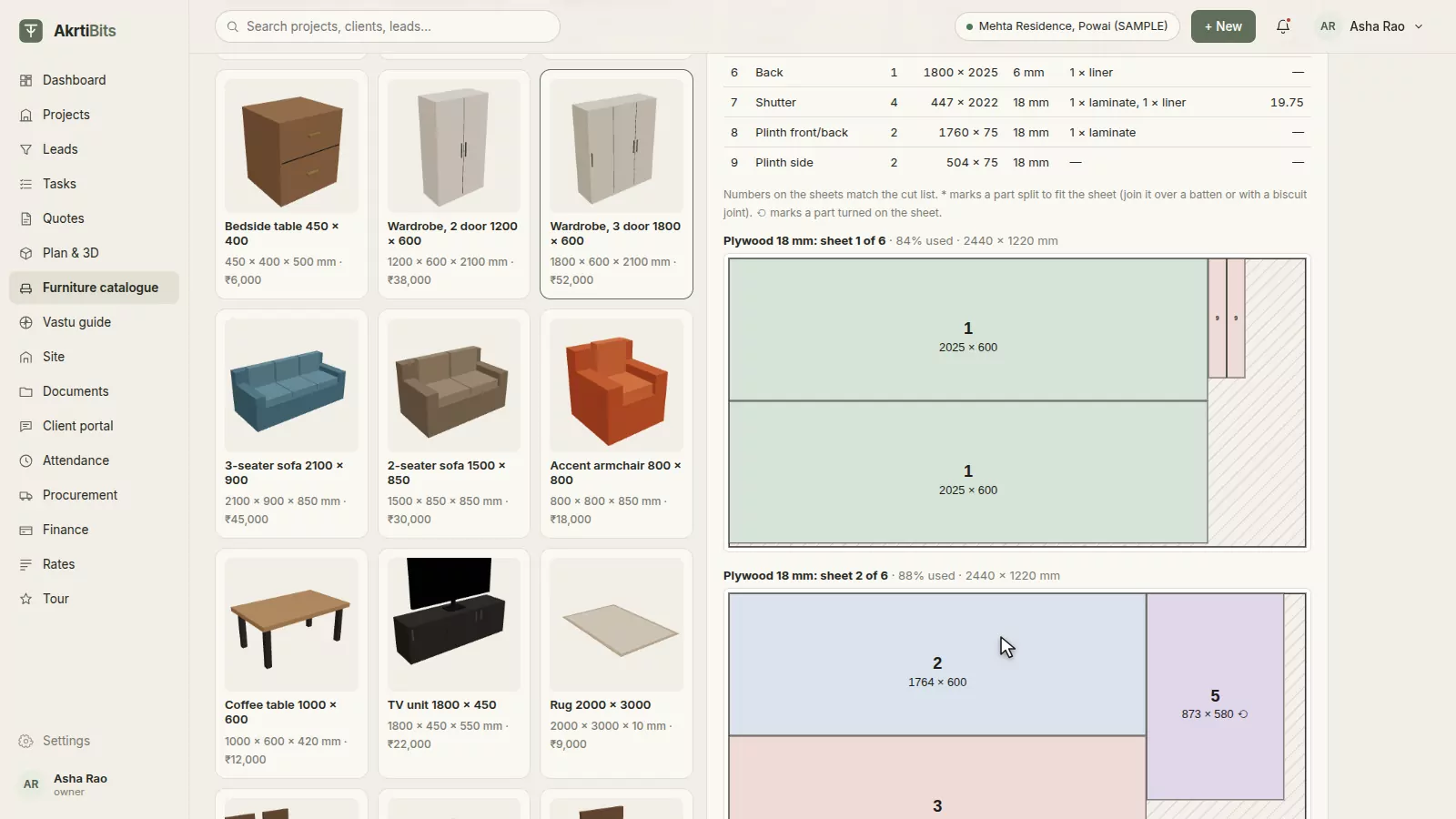
Every buildable piece breaks down into plywood, laminate, edge band, hardware, polish and upholstery using Indian carpentry practice, priced at your own rates. Parts are nested onto 8 × 4 sheets, so you see the cut plan and the waste before the carpenter does.
- Board, laminate and hardware quantities
- Nested cut plans on 8 × 4 sheets
- Your own material rates
- Add the estimate to a quote
05 · GST quotesQuotes clients approve on their phone.
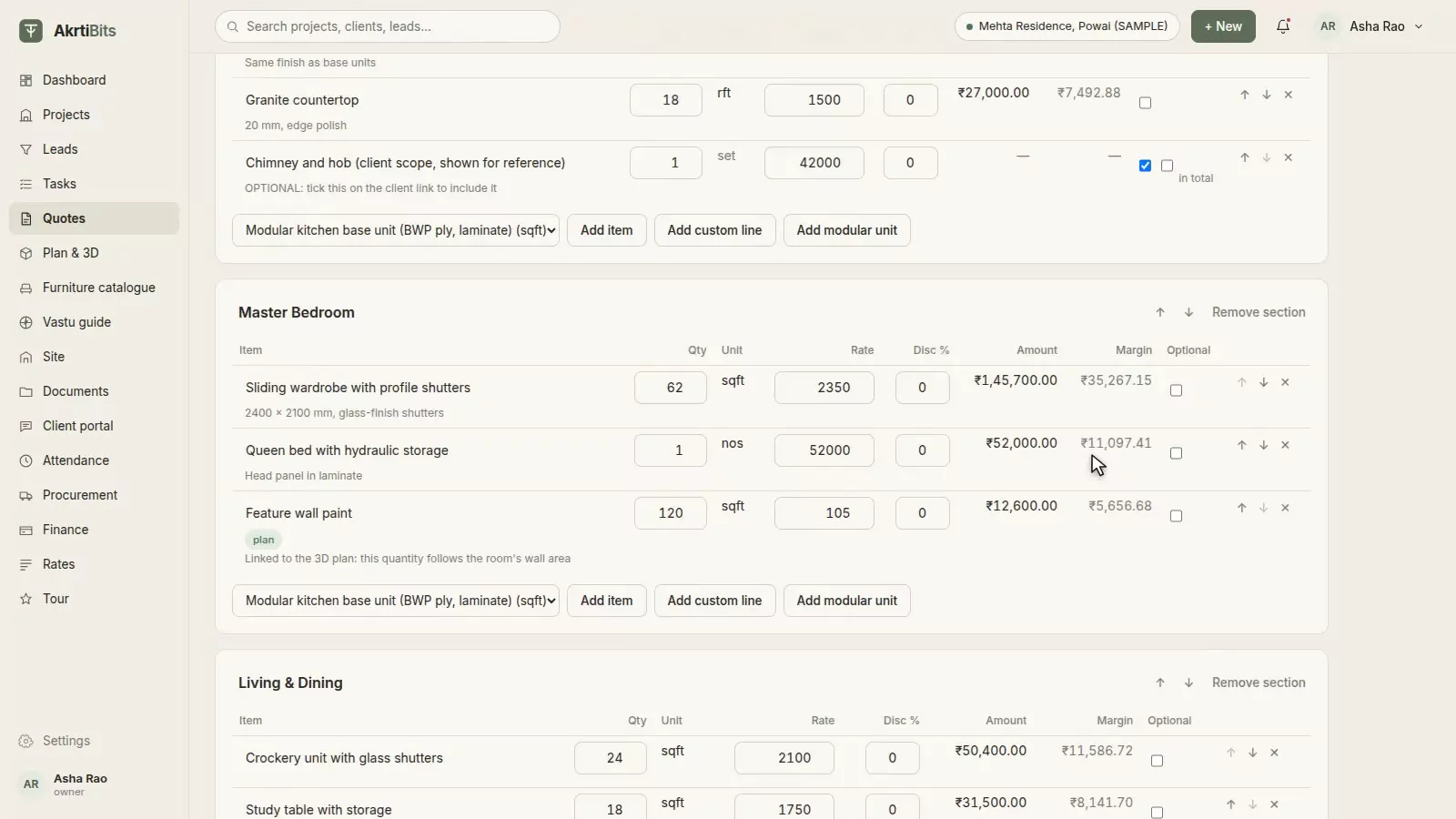
Room-wise lines with CGST and SGST, or IGST, worked out from your state and the site's; flat discounts; optional items the client can tick; and payment milestones. Quantities can follow the plan, and versions and change orders keep the history.
- GST split by state
- Client approval link
- Versions and change orders
- Cost and margin view
06 · VastuVastu, checked while you design.
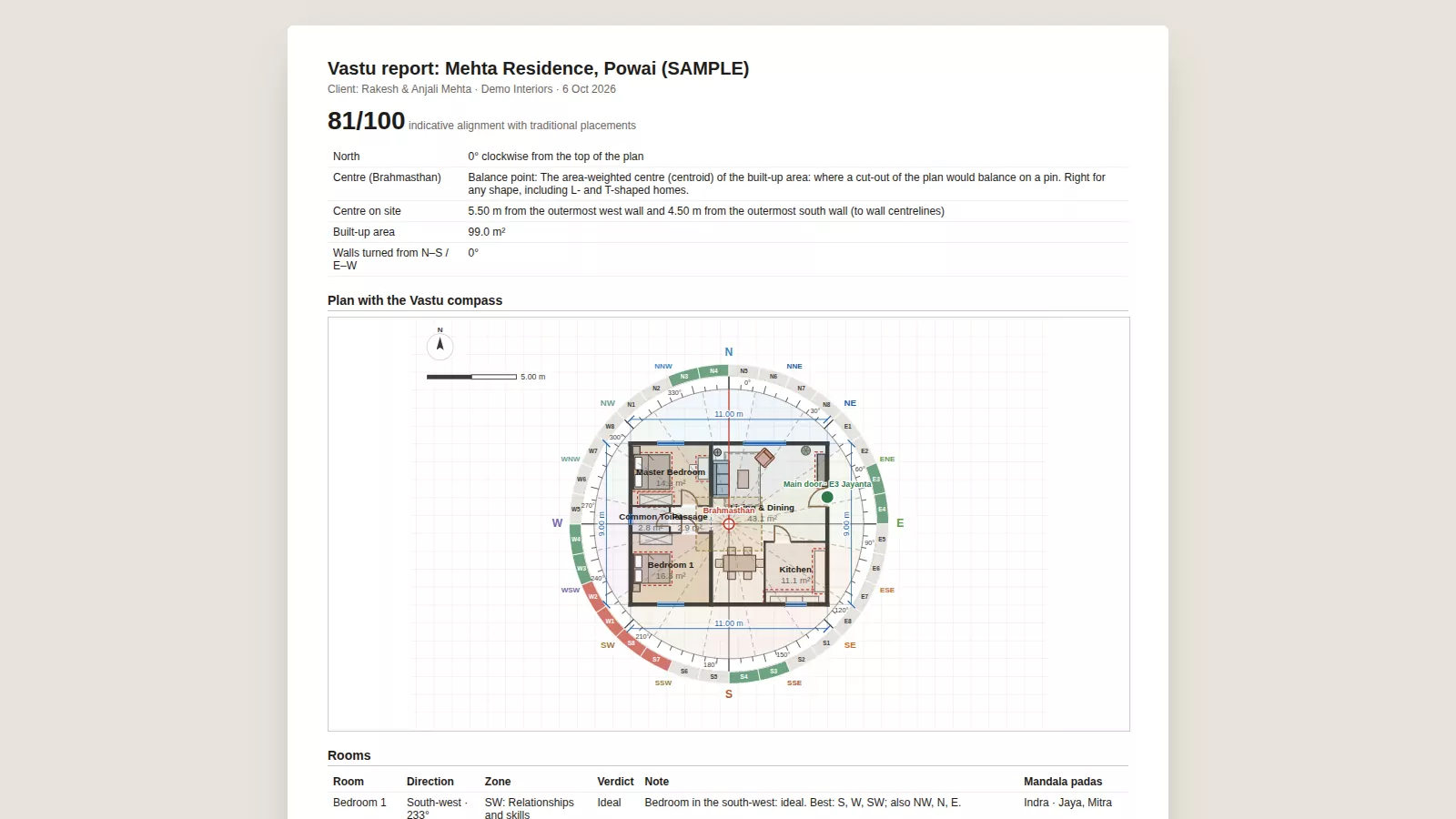
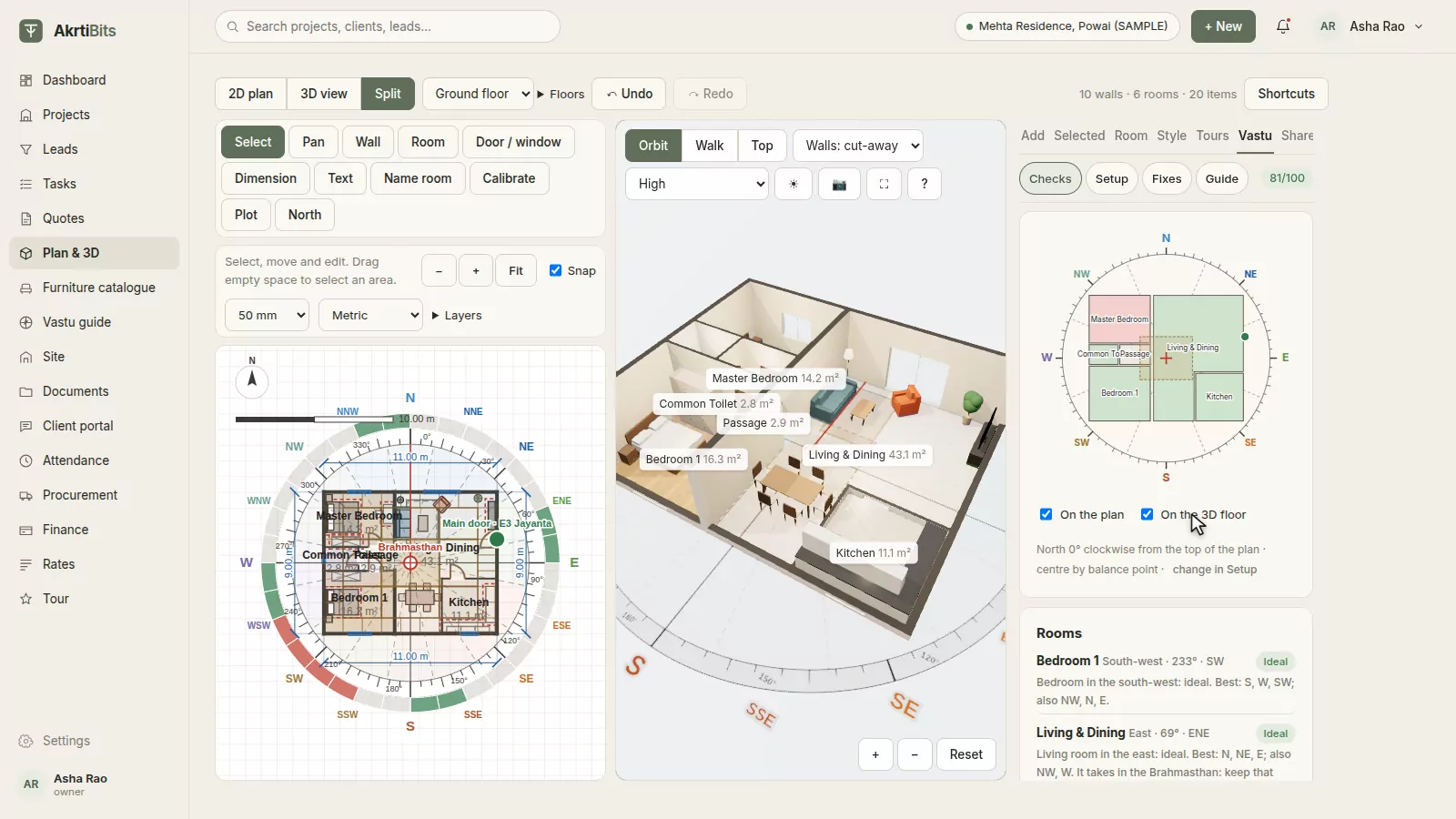
Find the centre of the plan, lay the 360° compass on it, and see every room, door, bed, hob and mandir judged against traditional placements, with the reason for each. Draw the plot and its roads, place the tanks and the gate, and get corrections when something is off.
- 16 zones and 32 entrance padas
- 45-deity Vastu Purusha Mandala
- Plot, roads and site features
- Corrections with distances
07 · Reports & sharingShare it, beautifully.
Print the Vastu report and the A3 plan, export DXF for the architect, and send the client a 3D link they open on WhatsApp, with no app and no login.
- Vastu report (PDF)
- A3 plan with a title block
- DXF for AutoCAD
- Client 3D link on WhatsApp